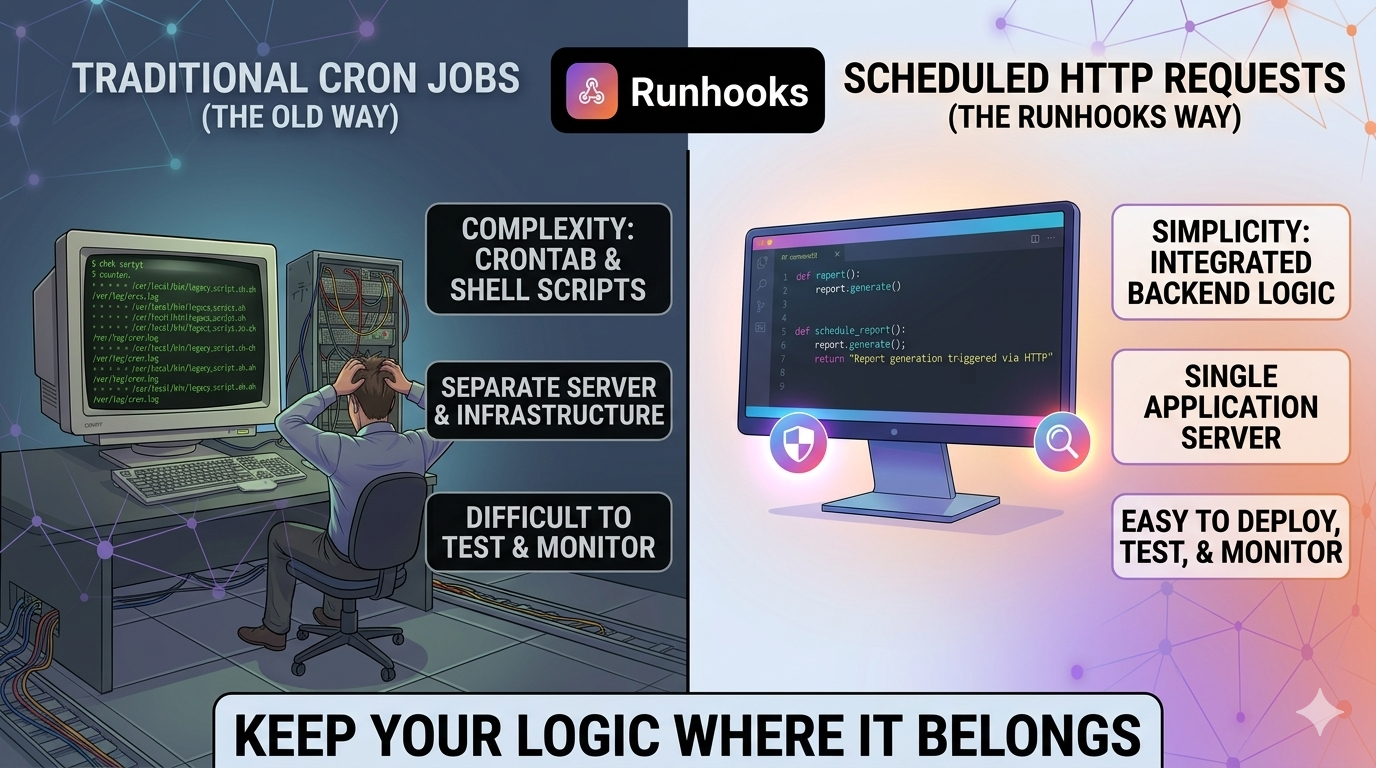
Every application has tasks that need to run on a schedule. Database cleanups, billing reconciliation, report generation, third-party syncs, health checks — the list grows with every sprint. The question isn't whether you need scheduled tasks, but where that code should live.
The traditional answer is cron: write a shell script, deploy it to a server, add a crontab entry. It works, but it pulls your business logic out of your application and into a completely separate environment — one with different tooling, different deployment processes, and different (usually worse) observability.
There's a better model: keep your logic in your backend, expose it as an HTTP endpoint, and let a scheduling service call it on a timer. Your code stays where it belongs. The scheduling, retries, and monitoring become someone else's problem.
The Cron Approach: Logic in Two Places
Here's what a typical cron-based scheduled task looks like in practice:
#!/bin/bash
# /scripts/expire-trials.sh — runs nightly via cron

DB_HOST="${DB_HOST:-localhost}"
DB_NAME="${DB_NAME:-myapp}"

expired=$(mongo "$DB_HOST/$DB_NAME" --quiet --eval '
  db.users.updateMany(
    { trialEndsAt: { $lt: new Date() }, status: "trialing" },
    { $set: { status: "expired" } }
  ).modifiedCount
')

if [ "$expired" -gt 0 ]; then
  curl -sf -X POST https://hooks.slack.com/services/XXX \
    -d "{\"text\": \"Expired $expired trial(s)\"}"
fi
0 3 * * * /scripts/expire-trials.sh >> /var/log/expire-trials.log 2>&1
This works. But look at what happened: your trial expiration logic — a core business rule — now lives in a bash script on a separate server, disconnected from your application code. It has its own database connection string, its own error handling (or lack of it), its own logging, and its own deployment process. If a new developer joins the team, they won't find this logic by reading the application code. They'll discover it when something breaks.
Now multiply this by every scheduled task in your system. You end up with a /scripts folder full of bash, a cron server that nobody wants to touch, and business logic scattered across two different environments.
The HTTP Approach: Logic in One Place
The same task, implemented as an API endpoint:
// POST /api/internal/expire-trials
export async function expireTrials(req: Request, res: Response) {
  const result = await User.updateMany(
    { trialEndsAt: { $lt: new Date() }, status: 'trialing' },
    { $set: { status: 'expired' } },
  );

  if (result.modifiedCount > 0) {
    await slackService.notify(`Expired ${result.modifiedCount} trial(s)`);
  }

  res.json({
    expired: result.modifiedCount,
    timestamp: new Date().toISOString(),
  });
}
The logic is identical. The difference is where it lives: inside your application, using your ORM, your service layer, your error handling, your logging, your language. It's a regular route handler — you can write unit tests for it, add middleware, deploy it through your CI/CD pipeline, and find it by searching the codebase.
The endpoint doesn't care who calls it or when. That's the scheduling service's job. You point Runhooks at POST /api/internal/expire-trials, set the schedule to 0 3 * * *, and you're done. Your application handles the "what." Runhooks handles the "when."
Why HTTP-First Scheduling Is Better
This isn't just an aesthetic preference. Keeping scheduled logic in your backend gives you concrete, practical advantages that cron scripts can't match.
1. Your Code Is Testable
API endpoints are functions. You can unit test them, integration test them, and call them from a test suite with predictable inputs and assertions on the output.
describe('POST /api/internal/expire-trials', () => {
  it('expires users past trial end date', async () => {
    await createUser({ status: 'trialing', trialEndsAt: daysAgo(1) });
    await createUser({ status: 'trialing', trialEndsAt: daysFromNow(5) });

    const res = await request(app)
      .post('/api/internal/expire-trials')
      .expect(200);

    expect(res.body.expired).toBe(1);
  });
});
Try writing a meaningful test for a bash script that shells out to mongo and curl. It's possible, but nobody does it — and that's the problem.
2. You Get Real Monitoring
Your backend already has structured logging, APM tracing, error tracking (Sentry, Datadog, etc.), and performance metrics. When your scheduled task runs as an API endpoint, it automatically participates in all of that infrastructure. A slow query shows up in your APM dashboard. An unhandled exception fires a Sentry alert. Response times are tracked over time.
With a cron script, you get >> /var/log/something.log 2>&1. Good luck correlating that with anything.
How Runhooks adds to this: On top of your existing backend monitoring, Runhooks captures every execution with its HTTP status, response body, duration, and attempt number. You get a dedicated dashboard for your scheduled tasks — separate from but complementary to your application monitoring. When a job fails after all retries, Runhooks sends an alert via email or webhook so the failure is surfaced immediately, not buried in a log file.
3. You Use Your Own Language and Framework
Cron scripts are almost always bash. That means string manipulation instead of typed objects, curl instead of your HTTP client, raw database commands instead of your ORM, and ad-hoc error handling instead of your framework's middleware stack.
When your scheduled task is an API endpoint, you write it in the same language as the rest of your application. You have access to your models, services, utilities, configuration, and dependency injection. You don't context-switch between "application code" and "script code."
# Django: a scheduled task is just a view
@require_POST
@internal_only
def sync_inventory(request):
    updated = InventoryService.sync_from_supplier()
    return JsonResponse({
        'updated': updated,
        'synced_at': timezone.now().isoformat(),
    })
// Go: a scheduled task is just a handler
func handleReconcile(w http.ResponseWriter, r *http.Request) {
    count, err := billing.ReconcilePendingCharges(r.Context())
    if err != nil {
        http.Error(w, err.Error(), http.StatusInternalServerError)
        return
    }
    json.NewEncoder(w).Encode(map[string]int{"reconciled": count})
}
Whether you're writing TypeScript, Python, Go, Ruby, Java, or anything else — your scheduled logic is native code, not a bash wrapper around native code.
4. Deployment Is Already Solved
When you change a cron script, you need to SSH into the cron server (or update a config management recipe) and redeploy it separately from your application. The script might depend on a specific version of your code, but there's no mechanism to ensure they're in sync.
When your scheduled task is an API endpoint, it deploys with the rest of your application. A PR that changes the trial expiration logic updates the endpoint, the tests, and the ORM model — all in one commit, reviewed together, deployed together.
5. Concurrency and Performance Are Under Your Control
Need your scheduled task to process 10,000 records? In bash, you're limited to sequential processing or brittle xargs parallelism. In your application, you have access to your language's concurrency primitives — async/await, goroutines, thread pools, worker queues — plus your existing database connection pool and caching layer.
// Process in parallel batches — natural in your backend, painful in bash
export async function processExpiredSubscriptions(req: Request, res: Response) {
  const expired = await Subscription.find({ expiresAt: { $lt: new Date() } });

  const results = await Promise.allSettled(
    expired.map(sub => billingService.handleExpiration(sub)),
  );

  const succeeded = results.filter(r => r.status === 'fulfilled').length;
  const failed = results.filter(r => r.status === 'rejected').length;

  res.json({ processed: expired.length, succeeded, failed });
}
How Runhooks complements this: While your backend handles the execution logic and concurrency, Runhooks handles the scheduling reliability. If your endpoint returns a 500 because the database was momentarily overloaded, Runhooks retries with exponential backoff (1s → 2s → 4s → 8s) instead of waiting for the next scheduled run — which could be hours away.
6. Security Is Simpler
Cron scripts typically run with broad system permissions. They need direct database access, API keys baked into environment variables or config files, and network access to external services. The cron server becomes a high-value target with credentials for everything.
An HTTP endpoint is protected by whatever authentication and authorization your application already uses. Internal endpoints can be locked down with API keys, IP allowlists, or internal network policies — using patterns your team already knows.
// Middleware to protect internal endpoints
function internalOnly(req: Request, res: Response, next: NextFunction) {
  const token = req.headers['x-internal-token'];
  if (token !== process.env.INTERNAL_API_TOKEN) {
    return res.status(403).json({ error: 'Forbidden' });
  }
  next();
}

router.post('/api/internal/expire-trials', internalOnly, expireTrials);
Runhooks sends requests with configurable HTTP headers, so you set your internal API token once in the job configuration and every scheduled call is authenticated automatically.
The Separation of Concerns
The HTTP-first approach creates a clean separation:
| Responsibility | Who Handles It |
|---|---|
| Business logic | Your application |
| Data access | Your ORM / database layer |
| Error handling | Your framework |
| Logging | Your logging infrastructure |
| Testing | Your test suite |
| Deployment | Your CI/CD pipeline |
| Scheduling | Runhooks |
| Retries | Runhooks |
| Execution monitoring | Runhooks |
| Failure alerts | Runhooks |
| Timezone handling | Runhooks |
You do what you do best — write, test, and deploy application code. Runhooks does what it does best — trigger that code on a schedule, retry when it fails, and alert you when it needs attention.
This is fundamentally different from the cron model, where scheduling, retries, logging, and alerting are all your problem — on top of the business logic itself.
"But I Already Have Cron Jobs Running"
Fair. Most teams do. The migration path is straightforward:
Step 1: Wrap existing logic in an endpoint. Take the core logic from your cron script and move it into a route handler. If the script calls pg_dump, your endpoint can trigger a backup through your ORM or a subprocess — but now it returns a structured response instead of writing to a log file.
Step 2: Create the job in Runhooks. Set the schedule using the same cron expression (test it with the cron expression visualizer first), pick the timezone, and point it at your new endpoint.
Step 3: Configure retries and alerts. Set a retry count with exponential backoff for transient failures, and choose where alerts go (email or webhook) when all retries are exhausted.
Step 4: Remove the crontab entry. The schedule now lives in Runhooks. The logic lives in your application. The cron server has one fewer responsibility.
Start with a non-critical job to build confidence. Once you see the execution history, retry behavior, and alerting in action, migrate the rest.
What You Gain
When your scheduled tasks are HTTP endpoints managed by Runhooks:
- One codebase. Business logic lives in your application, not scattered across bash scripts and crontabs.
- Real tests. Scheduled tasks are testable functions with assertions, not scripts you hope work.
- Full observability. Your APM, error tracking, and Runhooks' execution dashboard give you complete visibility.
- Automatic recovery. Transient failures are retried with exponential backoff — no manual intervention, no waiting for the next scheduled run.
- Proactive alerts. When something genuinely breaks, you know immediately — not when a customer complains or an audit reveals missing data.
- No infrastructure to manage. No cron server to babysit, no SSH access to maintain, no crontab to edit manually.
Your scheduled tasks are just as critical as your API endpoints and user-facing features. They deserve the same development workflow, the same testing, the same monitoring, and the same reliability guarantees.
Stop extracting your logic into bash scripts on a pet server. Keep it in your backend, and let Runhooks handle the rest. Create a free account and migrate your first cron job today.
Read next: 5 Pitfalls of Classic Cron Jobs · Why Cron Jobs Fail in Production · What Is a Cron Job? A Beginner's Guide