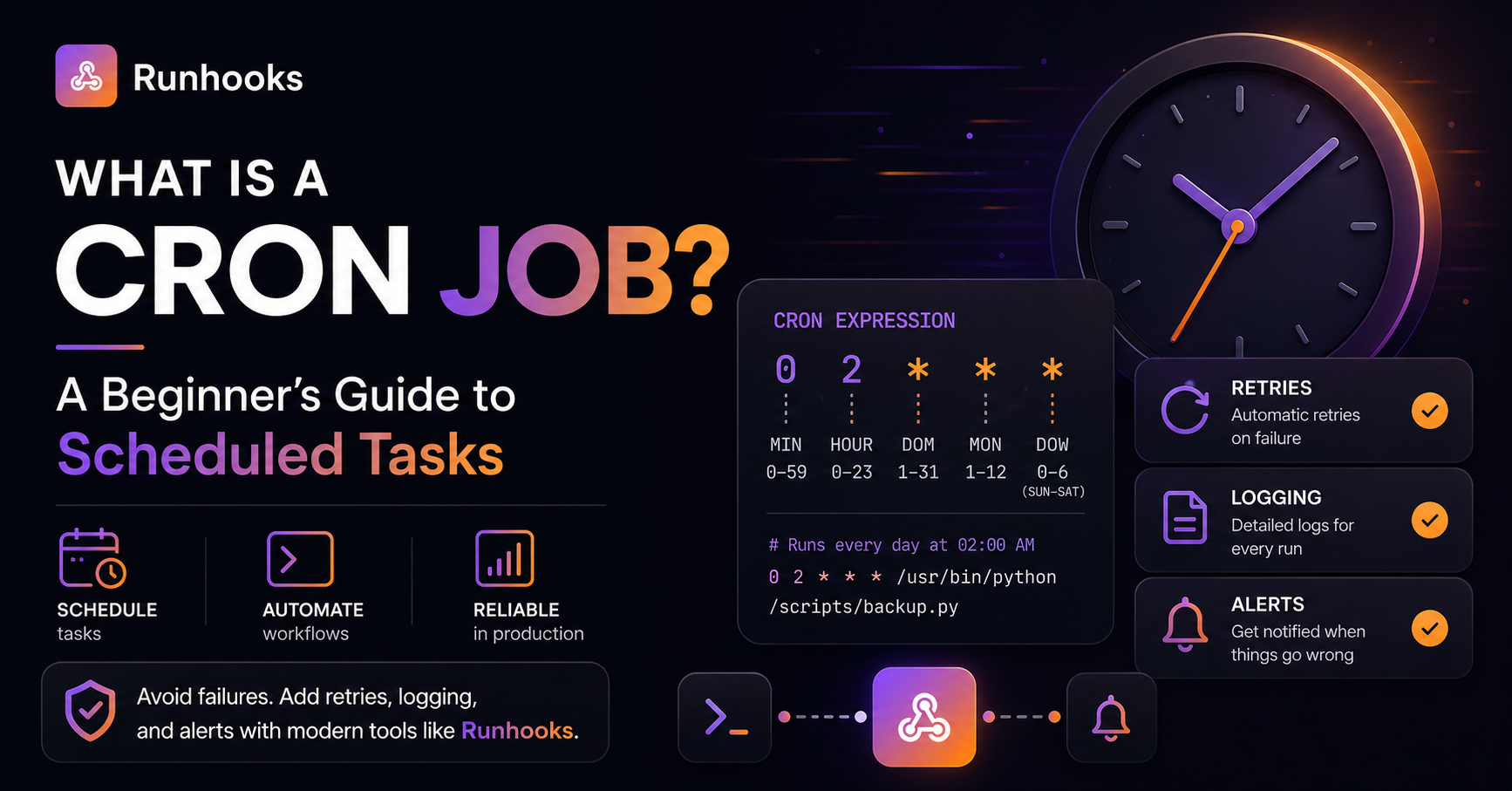
If you've ever needed a script to run at a specific time — a nightly database backup, a weekly email report, or a recurring API call — you've likely encountered cron jobs. They're one of the oldest scheduling tools in computing, and they're still used on millions of servers today.
This guide covers everything you need to know: what cron is, how cron expressions work, why cron jobs fail in production, and how modern scheduling platforms make them reliable.
What Is a Cron Job?
A cron job is a scheduled task that runs automatically at a defined time or interval on Unix-like operating systems (Linux, macOS). The cron system has two parts:
crond— the background daemon that checks the schedule every minute and runs due taskscrontab— the configuration file where you define what to run and when
The name comes from the Greek word chronos (time). Cron was introduced in Unix Version 7 in 1979 and has been the standard task scheduler ever since.
What Are Cron Jobs Used For?
Cron jobs handle any task that needs to happen on a recurring schedule:
- Database backups —
pg_dumpormysqldumprunning nightly - Data synchronization — pulling or pushing data between systems every hour
- Report generation — building and emailing daily or weekly reports
- Cache warming — refreshing cached data before users hit the site
- Health checks — pinging services to verify they're running
- Cleanup tasks — deleting temporary files, expiring old sessions, pruning logs
- API integrations — syncing inventory, orders, or user data with third-party services
If you're managing any of these manually, a cron job (or a managed scheduling service) can automate it.
How Cron Expressions Work
A cron expression is a string of five fields separated by spaces that defines the schedule. Each field represents a unit of time:
┌───────────── minute (0–59)
│ ┌───────────── hour (0–23)
│ │ ┌───────────── day of month (1–31)
│ │ │ ┌───────────── month (1–12)
│ │ │ │ ┌───────────── day of week (0–7, where 0 and 7 = Sunday)
│ │ │ │ │
* * * * *
Common Cron Schedule Examples
| Expression | Schedule |
|---|---|
* * * * * |
Every minute |
*/5 * * * * |
Every 5 minutes |
*/15 * * * * |
Every 15 minutes |
0 * * * * |
Every hour (at minute 0) |
0 9 * * * |
Daily at 9:00 AM |
0 9 * * 1-5 |
Weekdays at 9:00 AM |
0 0 * * * |
Every day at midnight |
0 0 * * 0 |
Every Sunday at midnight |
0 0 1 * * |
First day of every month |
0 0 1 1 * |
Once a year (January 1st) |
Special Characters in Cron
| Character | Meaning | Example |
|---|---|---|
* |
Any value (wildcard) | * * * * * = every minute |
, |
List of values | 0,15,30,45 * * * * = four times per hour |
- |
Range of values | 1-5 = Monday through Friday |
/ |
Step / interval | */10 = every 10 units |
Want to test your cron expression before deploying it? Use the Runhooks Cron Expression Visualizer to see a visual timeline of when your schedule fires, including overlap detection and frequency statistics.
Setting Up a Cron Job
To create a cron job on a Linux or macOS system, edit your crontab:
# Open the crontab editor
crontab -e

# Add a line with the schedule and command
0 2 * * * /scripts/backup.sh

# List all current cron jobs
crontab -l
A Practical Example
Here's a cron job that backs up a PostgreSQL database every night at 2 AM and logs the output:
0 2 * * * pg_dump -U postgres mydb > /backups/mydb_$(date +\%Y\%m\%d).sql 2>> /var/log/backup.log
This works — until it doesn't. And when it doesn't, you often won't find out until you need that backup.
Why Cron Jobs Fail Silently
Cron is a scheduler, not a monitoring system. It triggers your command and moves on. It doesn't check whether the command succeeded, and it doesn't notify you when something goes wrong. This leads to several common failure modes:
1. The Script Fails, Nobody Notices
Cron's default behavior on failure is silence. If your backup script crashes — disk full, credentials expired, network unreachable — cron reports nothing. The next run happens on schedule, fails again, and the cycle continues until someone manually checks.
# This job could fail for weeks without any alert
0 2 * * * pg_dump production > /backups/nightly.sql
How Runhooks solves this: Every execution is logged with HTTP status, response body, and duration. When a job exhausts its retries, Runhooks sends an alert via email or webhook — so failures are caught immediately, not days later.
2. The Job Overlaps With the Next Run
If a job takes longer than its scheduled interval, cron starts a second instance while the first is still running. Two copies of the same script hitting the same database leads to race conditions, duplicate data, and corruption.
# Runs every 5 minutes, but occasionally takes 8 minutes
*/5 * * * * /scripts/process-queue.sh
How Runhooks solves this: The execution dashboard shows duration trends so you can spot jobs approaching their interval before overlaps happen. Use the overlap detector to test your schedule before deploying.
3. A Dependency Is Unavailable
Your cron job calls an external API, but the API has a brief outage. With cron, that run is simply lost — there's no retry. The next attempt won't happen until the next scheduled time, which could be hours away.
How Runhooks solves this: Configurable retry policies with exponential backoff (1s → 2s → 4s → 8s) automatically recover from transient failures. Most outages resolve within seconds, and the retry handles it without human intervention.
4. The Server Goes Down
Cron runs on a specific machine. If that machine crashes, reboots, or gets replaced by your auto-scaler, every cron job on it stops silently. There's no failover, no notification, and no backup scheduler.
How Runhooks solves this: Jobs are defined through a web dashboard or REST API — not tied to any server. Runhooks makes HTTP requests to your endpoints, which can run anywhere: a serverless function, a container, a Kubernetes pod, or a traditional VM.
5. Timezone and DST Bugs
Cron uses the server's timezone (usually UTC). When your business logic requires 9 AM Eastern, you're doing mental conversion that breaks twice a year when daylight saving time changes.
How Runhooks solves this: Every job has an explicit timezone. Select America/New_York, set the schedule, and DST is handled automatically — no seasonal crontab edits required.
Beyond Traditional Cron
Modern infrastructure offers several alternatives to the traditional crontab:
| Approach | Best For | Limitation |
|---|---|---|
| Kubernetes CronJobs | Teams already on K8s | Requires a cluster; no built-in alerting |
| AWS EventBridge | AWS-native workloads | Vendor lock-in; limited retry control |
| Cloud Scheduler (GCP) | GCP workloads | GCP-only; basic logging |
| Heroku/Render Schedulers | Simple PaaS apps | Limited frequency options; minimal observability |
| Runhooks | Any HTTP endpoint, any platform | — |
The common thread: even cloud-native schedulers leave gaps in observability, retry logic, and alerting. You still need to build or buy the reliability layer.
Runhooks fills that gap. It works with any HTTP endpoint regardless of where it's hosted, and provides the execution logging, automatic retries, and failure alerts that cron — and most cloud schedulers — leave out.
Getting Started
If you're currently running cron jobs in production (or about to), here's the practical path to making them reliable:
- Audit your current cron jobs — run
crontab -land list every scheduled task. Note which ones are critical and which are fire-and-forget. - Test your cron expressions — use the cron visualizer to verify schedules, check for overlaps, and see run frequency.
- Create a Runhooks account — the free plan includes up to 5 jobs, 500 monthly runs, and email alerts.
- Migrate one job — start with a non-critical job. Create it in Runhooks, point it at your existing endpoint, and remove the crontab entry. You'll immediately have execution history, retry logic, and alerting.
- Expand gradually — once you trust the workflow, migrate your critical jobs. Upgrade your plan as you scale.
Your scheduled tasks deserve the same observability as the rest of your infrastructure. No more silent failures, no more grepping through log files at 3 AM.
Create a free Runhooks account →
Read next: Scheduled HTTP Requests vs. Cron Jobs · 5 Pitfalls of Classic Cron Jobs · Why Cron Jobs Fail in Production